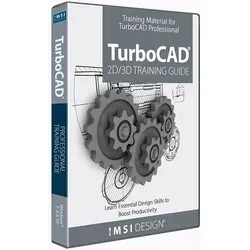
2D/3D Training Guides for TurboCAD 2020 Professional, English
- Hersteller: IMSI Design
1 Angebote mit vergleichbaren Preisen von 94,95 € bis 94,95 €

94,95 €
zzgl. 0,00 € VersandAngebote
94,95 €
Finden Sie auf Shopudio die besten Preise für 19.088.241 Produkte
-
2D/3D Training Guides for TurboCAD 2020 Professional, English
2D/3D Training Guides for TurboCAD 2020 Professional Training material for TurboCAD Professional This comprehensive course takes you from Beginner to Advanced in a single course. Tutorial Sessions, all with video content. Also suitable for students learning CAD for the first time in a classroom setting, whether at school, college, university or any educational institution. Technical and Architectural examples provided. 2D/3D Training Guides for TurboCAD Professional teach common 2D and 3D CAD skills necessary to efficiently operate TurboCAD Professional through easy to use, step-by-step sessions. Perfect for a classroom or self-study. The Easiest Way to Learn Computer-Aided Design with TurboCAD All key 2D features in TurboCAD are presented in the first program. Following basic introductory sessions are 16 learning tutorials. Over 220 videos are spread throughout the 16 tutorials to demonstrate the activities being presented. Once you have completed the 2D training guide, move to the 3D training guide for comprehensive solid modeling and rendering instruction. In the 3D guide, over 250 videos are spread throughout 15 sessions. With both the 2D and 3D guide, each session begins with a task worksheet with specific instructions about the session. All sessions are single session, from start to finish, which means drawings can easily be completed in the recommended time frame. Projects and practical sessions are also included so you can build your own projects from scratch. What’s Included? Introduction and TurboCAD Basics at the beginning of each guide to put you on the fast track for learning TurboCAD 8 training sessions in the 2D training guide 8 training sessions in the 3D training guide Session summaries for a concise review of progress Rapid Reference Index for quick location of specific topics Google Dictionary & Google Translate support The Easiest Way to Learn 2D Computer-Aided Design with TurboCAD The Work Sessions Each Session contains detailed, illustrated and video-animated instructions of a drawing, using a sequential, task-based structure. All drawings are started and finished in the same Session, allowing you to produce print-ready layouts of your drawings. What you will learn in this Training Guide Setting up a new drawing using templates The TurboCAD User Interface, including the Ribbon Workspace Style. Understanding Palettes, Toolbars and Menus. Interacting with Graphical Information such as the Status Bar, Inspector Bar, Coordinate Fields and Information Palettes. Learning how to utilize the power of Drawing Aids such as Layers, Grid and Snap Modes. Sketch tools and the use of 2D Line and Circle Geometry as well as Curved Lines and Contours, Bezier Curves and Construction objects. Understanding the power of Drawing & Geometric Constraints – powerful conceptual design tools which apply measurement and spatial design rules to objects. Object handling, transformation, duplication and modification. Understanding the concepts of Spatial Information and how to draw using Polar or Rectangular Coordinates using either Absolute or Relative coordinate positions. Extracting measurement information from objects such as Distance, Perimeter, Angle, Area, Curve Length, Volume and Surface area. Learn how to fully detail and annotate your drawings using Dimensions, Tolerances, Leader Arrows and how to apply Surface Roughness symbols to annotation objects. Cross-hatching and single, multi-line text and text tables are also instructed. Working with Formatted and External objects such as Groups, Blocks and the Library Palette. Understanding the concepts of Externally Referenced source and destination files and how to update all instances of externally referenced blocks in your drawing. Producing print-ready drawing layouts using Viewports with multiple drawing scale and layering capabilities. Architectural tools such as Exterior and Interior Walls, Doors, Windows and Roof Tools are also discussed and demonstrated, including using and applying various Door and Window Styles. The Easiest Way to Learn 3D Computer-Aided Design with TurboCAD The Work Sessions Each Sessions contains detailed, illustrated and video-animated instructions of a design, using a sequential, task-based structure. Each design uses the recommended component-assembly method of designing and constructing solids. Modifications to each part are updated in real-time using the Part Tree History. All designs are started and finished in the same Session, allowing you to produce multiple view, print-ready layouts of your drawings. What you will learn in this Training Guide This Training Guide is designed to cover the widest range possible of 3D tools which each Tutorial Session focusing on specific tasks. Some of the topics discussed and demonstrated in this Guide are: A brief recap of the T...
94,95 €
zzgl. 0,00 € Versand2D/3D Training Guides for TurboCAD 2020 Professional, English
2D/3D Training Guides for TurboCAD 2020 Professional Training material for TurboCAD Professional This comprehensive course takes you from Beginner to Advanced in a single course. Tutorial Sessions, all with video content. Also suitable for students learning CAD for the first time in a classroom setting, whether at school, college, university or any educational institution. Technical and Architectural examples provided. 2D/3D Training Guides for TurboCAD Professional teach common 2D and 3D CAD skills necessary to efficiently operate TurboCAD Professional through easy to use, step-by-step sessions. Perfect for a classroom or self-study. The Easiest Way to Learn Computer-Aided Design with TurboCAD All key 2D features in TurboCAD are presented in the first program. Following basic introductory sessions are 16 learning tutorials. Over 220 videos are spread throughout the 16 tutorials to demonstrate the activities being presented. Once you have completed the 2D training guide, move to the 3D training guide for comprehensive solid modeling and rendering instruction. In the 3D guide, over 250 videos are spread throughout 15 sessions. With both the 2D and 3D guide, each session begins with a task worksheet with specific instructions about the session. All sessions are single session, from start to finish, which means drawings can easily be completed in the recommended time frame. Projects and practical sessions are also included so you can build your own projects from scratch. What’s Included? Introduction and TurboCAD Basics at the beginning of each guide to put you on the fast track for learning TurboCAD 8 training sessions in the 2D training guide 8 training sessions in the 3D training guide Session summaries for a concise review of progress Rapid Reference Index for quick location of specific topics Google Dictionary & Google Translate support The Easiest Way to Learn 2D Computer-Aided Design with TurboCAD The Work Sessions Each Session contains detailed, illustrated and video-animated instructions of a drawing, using a sequential, task-based structure. All drawings are started and finished in the same Session, allowing you to produce print-ready layouts of your drawings. What you will learn in this Training Guide Setting up a new drawing using templates The TurboCAD User Interface, including the Ribbon Workspace Style. Understanding Palettes, Toolbars and Menus. Interacting with Graphical Information such as the Status Bar, Inspector Bar, Coordinate Fields and Information Palettes. Learning how to utilize the power of Drawing Aids such as Layers, Grid and Snap Modes. Sketch tools and the use of 2D Line and Circle Geometry as well as Curved Lines and Contours, Bezier Curves and Construction objects. Understanding the power of Drawing & Geometric Constraints – powerful conceptual design tools which apply measurement and spatial design rules to objects. Object handling, transformation, duplication and modification. Understanding the concepts of Spatial Information and how to draw using Polar or Rectangular Coordinates using either Absolute or Relative coordinate positions. Extracting measurement information from objects such as Distance, Perimeter, Angle, Area, Curve Length, Volume and Surface area. Learn how to fully detail and annotate your drawings using Dimensions, Tolerances, Leader Arrows and how to apply Surface Roughness symbols to annotation objects. Cross-hatching and single, multi-line text and text tables are also instructed. Working with Formatted and External objects such as Groups, Blocks and the Library Palette. Understanding the concepts of Externally Referenced source and destination files and how to update all instances of externally referenced blocks in your drawing. Producing print-ready drawing layouts using Viewports with multiple drawing scale and layering capabilities. Architectural tools such as Exterior and Interior Walls, Doors, Windows and Roof Tools are also discussed and demonstrated, including using and applying various Door and Window Styles. The Easiest Way to Learn 3D Computer-Aided Design with TurboCAD The Work Sessions Each Sessions contains detailed, illustrated and video-animated instructions of a design, using a sequential, task-based structure. Each design uses the recommended component-assembly method of designing and constructing solids. Modifications to each part are updated in real-time using the Part Tree History. All designs are started and finished in the same Session, allowing you to produce multiple view, print-ready layouts of your drawings. What you will learn in this Training Guide This Training Guide is designed to cover the widest range possible of 3D tools which each Tutorial Session focusing on specific tasks. Some of the topics discussed and demonstrated in this Guide are: A brief recap of the T...